-
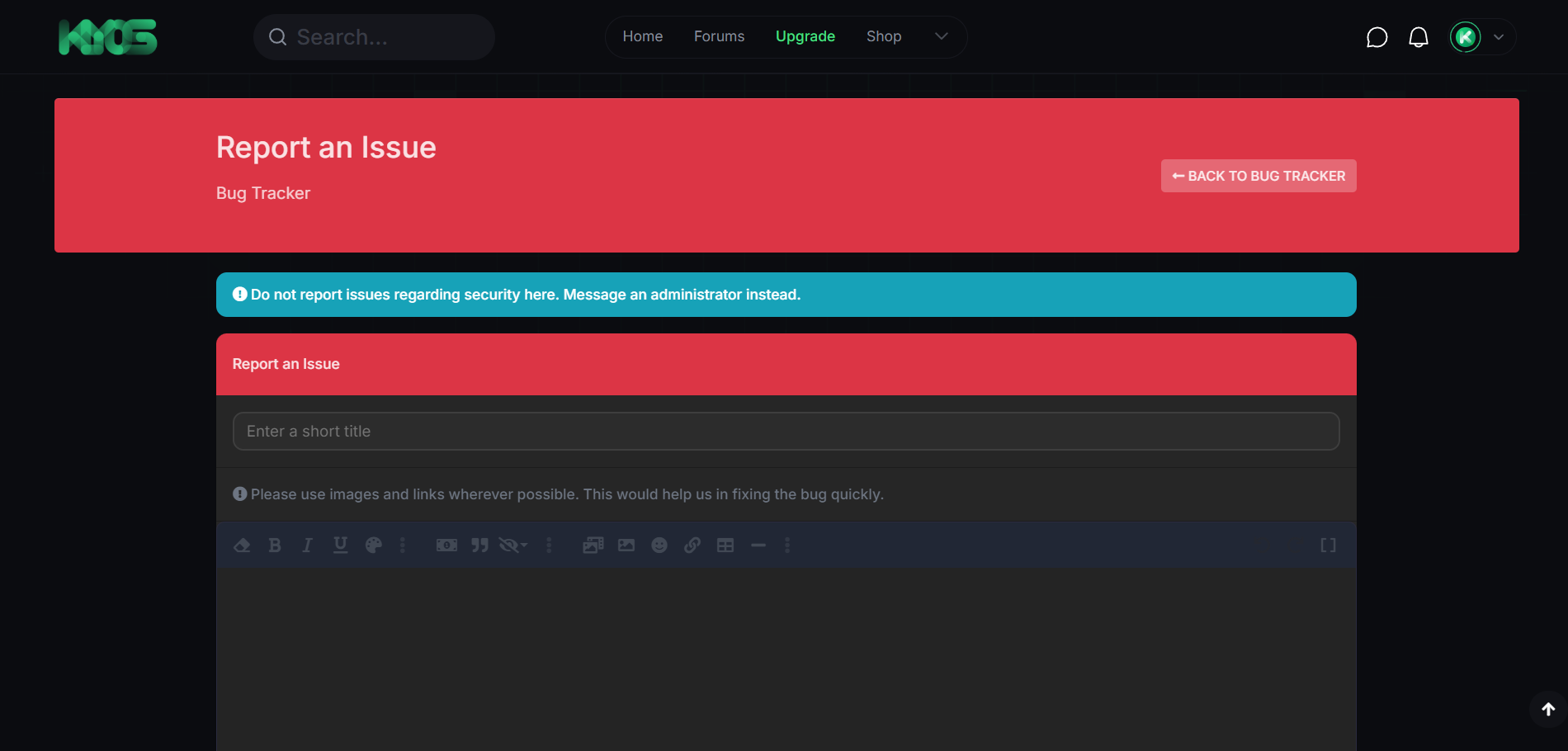
 Bug Report Submission: Users can submit bug reports through a simple and user-friendly form. They can specify critical details like:Bug description (including steps to reproduce) Affected versions or environments (e.g., browser, operating system) Screenshots or attachments (e.g., logs, error messages) Optional fields allow for categorizing the bug (e.g., frontend issue, backend issue, compatibility issue) and tagging it with relevant keywords for easier searching and filtering.
 -
 Customizable Bug Categories: Admins can define custom bug categories based on the specific needs of the forum, such as:Frontend Bugs Backend Bugs Performance Issues Feature Requests Categories make it easy for both users and administrators to classify and track different types of issues separately.
 -
 Bug Status Management: Bugs can be assigned various statuses to track their resolution progress, such as:New (default status for newly reported bugs) In Progress (when a bug is being worked on) Resolved (bug has been fixed) Closed (issue has been closed with no action needed, or it is not reproducible) Admins and moderators can change the status of the bug reports as they move through the resolution process.
 -
 Priority and Severity Levels: Assign different priority levels and severity ratings to bugs, helping administrators and developers understand which issues require immediate attention and which can be addressed later. Common priority levels include Low, Medium, High, and Critical. Severity levels can range from Minor (minor inconvenience) to Major (game-breaking issue).
 -
 Bug Report Assignment: Bugs can be assigned to specific team members (e.g., developers or moderators) for tracking and resolution. Each team member can be notified of the assignment. Bug reporters are also notified when their issue has been updated or resolved.
 -
 Bug History and Commenting: Each bug report has a history log, where all changes to its status, priority, and assignments are tracked, ensuring complete transparency. Comment threads allow developers and users to discuss the issue, share additional information, or ask for clarification. Bug reporters can be notified when a comment is added, encouraging ongoing collaboration.
 -
 User Permissions and Access Control: Full integration with XenForo’s user permissions system allows you to restrict access to bug reports: Admins can view, manage, and edit all bug reports. Moderators can view, comment on, and update the status of bug reports, depending on their permissions. Registered users can submit bug reports but may have limited visibility into the status of other users’ reports. Optional settings allow specific user groups to have the ability to view, edit, or comment on certain bugs.
 -
 Public or Private Bug Tracking: Admins can choose whether bug reports are visible to all users or only to specific user groups (e.g., moderators, developers, or premium members). This is especially useful for private or sensitive issues, or when bugs are under active investigation and not yet ready for public viewing.
 -
 Search and Filter Bug Reports: A powerful search system allows administrators and developers to search through bug reports using a variety of filters, such as:Bug status (new, in progress, resolved, closed) Priority or severity level Bug category Assigned team member Date range Keywords or tags associated with the bug This makes it easy to manage large volumes of bug reports and find issues that need immediate attention.
 -
 Bug Report Tracking and Notifications: Bug reporters, developers, and admins are automatically notified of any changes to the status, priority, or assignment of a bug via XenForo’s notification system. Admins can customize which events trigger notifications, such as when a bug is closed, marked as resolved, or updated with a new comment. Notifications can be sent via in-app alerts or email, ensuring users stay informed about the progress of their reported issues.
 -
 Bug Report Exporting and Reporting: Admins can export bug reports to CSV or Excel format for offline analysis or reporting. This is helpful for tracking performance over time, reporting to stakeholders, or performing in-depth bug analysis. A bug statistics dashboard provides key insights into the bug-tracking process, such as:The number of open vs. resolved bugs Most common bug categories The average time to resolve issues Top bug reporters and contributors These insights can help improve the bug resolution process and prioritize resources effectively.
 -
 Integrated Issue Tags: Use tags to categorize and highlight issues, such as “UI Bug,” “Security Issue,” “Performance,” “Crash,” etc. Tags make it easy to quickly identify trends or focus on specific types of issues.
 -
 Bug Tracker Widget: The addon comes with a bug tracker widget that can be placed on your forum’s homepage or sidebar. This widget shows the current status of the most recent or active bugs, offering a quick overview of ongoing issues and their resolution. You can choose to display bugs based on categories, priority levels, or assigned team members.
 -
 Integration with Other XenForo Addons: The [XFDev] Bug Tracker integrates well with other XenForo addons that manage user groups, permissions, or notifications, ensuring that all bug reports and updates are handled seamlessly across your forum. It can also be combined with other developer-focused addons (e.g., project management or issue tracking tools) to create a more comprehensive system.
 -
 Customizable Bug Reporting Form: Admins can customize the bug report form to collect specific details based on the forum’s needs. For example, you can add custom fields to capture additional data, such as:Browser type and version Steps to reproduce (with text or video input) Error logs or system details This makes the bug reporting process more tailored to the specific needs of your forum and community.