-
 Integration with DBTech Shop: The addon integrates directly with DBTech Shop (or any similar e-commerce or store system) to automatically assign icons to users who make purchases or achieve specific milestones (e.g., a certain amount spent, purchasing specific items, or unlocking premium features). Icons can be linked to individual products or store categories, allowing for a customized experience.
 -
 Customizable Icons: Admins can upload custom icons or images that represent different user achievements, store items, or membership levels. Icons can be assigned to different products in the DBTech Shop, allowing for a dynamic way to display what users have purchased or unlocked. Custom icons can be designed to fit your forum’s branding and user preferences.
 -
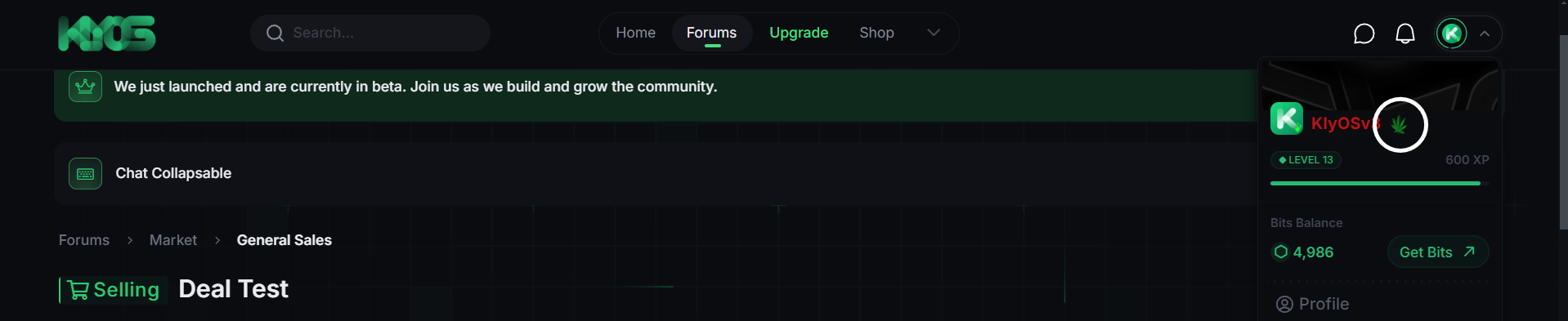
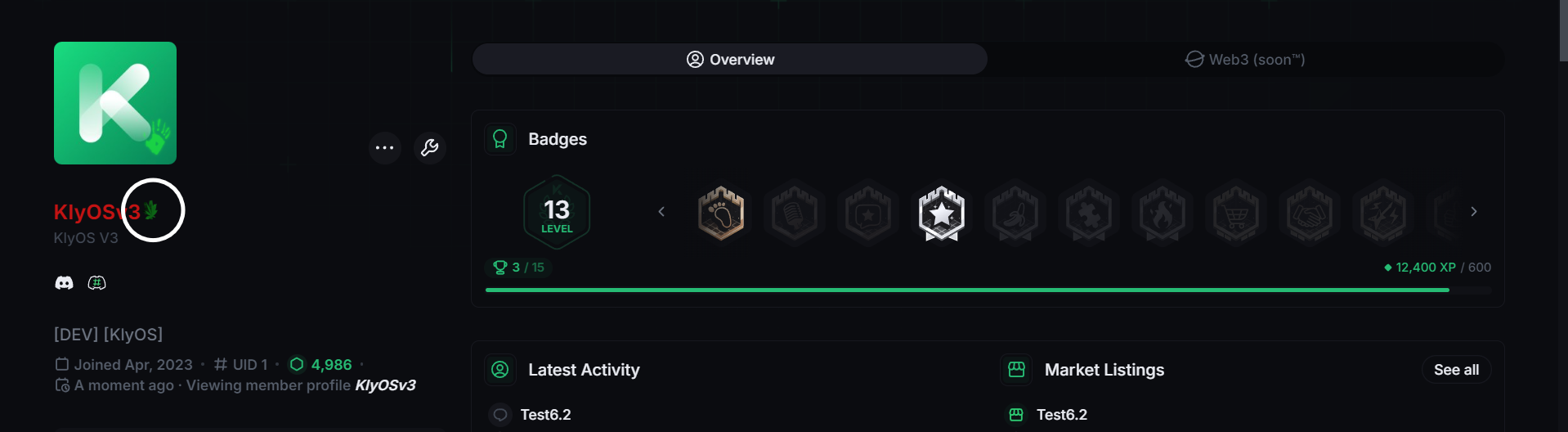
 Automatic Icon Display: Once a user makes a qualifying purchase or completes a specified action in the shop, the corresponding icon will be automatically displayed next to their username. The icon will appear in posts, on the user profile, and throughout the site wherever the user’s username is shown.
 -
 User Permissions for Icons: Admins can configure permissions to control who can see the icons, whether it’s visible to all users, only specific user groups, or only administrators/moderators. You can set permissions for the visibility of different icons (for example, making premium icons visible only to premium members or specific user groups).
 -
 Conditional Logic for Icons: Admins can set conditions based on purchases or actions in the store to show specific icons. For example:Show a special “VIP” icon to users who spend over a certain amount in the store. Display an “Exclusive Supporter” icon for those who purchase specific items. The conditions can be tailored to match the specific needs of your community and store setup.
 -
 User Group and Tier-Based Icons: Icons can be associated with specific user groups or tiers. For example, users who purchase a certain package or membership tier might automatically receive an icon linked to that tier. This allows forum admins to reward users with visual recognition for supporting the forum or achieving certain milestones.
 -
 Multiple Icons for Multiple Purchases: Users can accumulate multiple icons if they make multiple purchases, unlocking various achievements or rewards. The addon supports the display of multiple icons at once next to the user’s name if they qualify for more than one icon (e.g., “Donor” and “VIP Member”).
 -
 Flexible Display Options: Admins can choose where the icons will be displayed:User Posts: Icons will be shown next to usernames in the postbit and message display. Profile Pages: Icons can also be shown on the user’s profile page. Member Lists: Optionally, icons can be displayed in the member list or on hover over the user’s name.
 -
 Efficient Performance: The addon is optimized for performance, ensuring that icons are displayed quickly and do not interfere with page load times. Efficient backend logic ensures that only relevant data is pulled for each user to minimize the load on the server.
 -
 Cache and Update Management: The addon includes a cache clearing mechanism, ensuring that any changes to the shop (such as new products or achievements) are automatically reflected in the displayed icons. Users who achieve new milestones or make purchases will have their icons updated dynamically without requiring manual intervention.
 -
 Customizable Icon Size and Position: Admins can customize the size and position of the icons relative to the username. This helps ensure the icons fit well within your forum’s design and layout.
 -
 Support for Custom Icon Designs: Admins can upload transparent PNGs or SVG icons, ensuring that the icons look crisp and professional, fitting the theme of the site without disrupting the overall aesthetic.
 -
 Seamless Integration with XenForo: This addon integrates seamlessly with XenForo’s existing user interface, so there is no need for additional styling or coding. Icons appear naturally beside usernames in a non-intrusive way.